The Hidden Weaknesses Of Multifactor Authentication
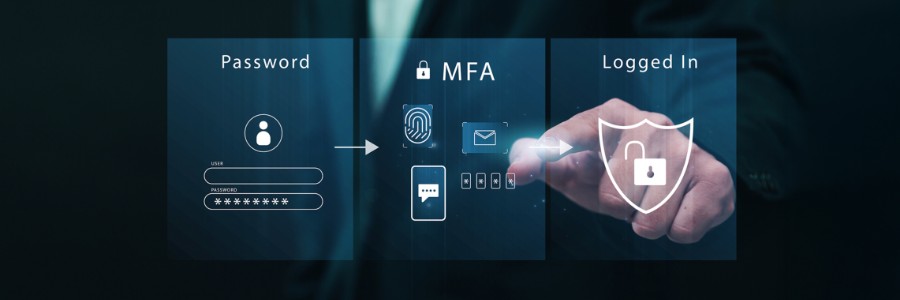
Multifactor authentication (MFA) works by requiring users to provide more than one form of identification when logging into a system or account. This extra step significantly enhances security by making it much harder for unauthorized individuals to gain access, even if they steal a password. However, MFA is not an impenetrable shield; it has hidden weaknesses that savvy attackers can exploit, and organizations must understand these vulnerabilities to build a truly robust security posture.
The Foundation of MFA: A Brief Overview
Before diving into the weaknesses, let's briefly recap how MFA strengthens security. MFA relies on combining at least two distinct types of authentication factors from these three categories:
- Something you know: Passwords, PINs, security questions.
- Something you have: Physical tokens, smart cards, one-time password (OTP) generators, smartphones receiving push notifications or SMS codes.
- Something you are: Biometrics like fingerprints, facial recognition, or iris scans.
By requiring factors from different categories, MFA significantly reduces the risk of a single factor compromise leading to a breach. For example, even if an attacker steals your password (something you know), they still need your phone (something you have) or your fingerprint (something you are) to gain access.
Beyond Basic Phishing: The Evolving Threat Landscape
While MFA effectively mitigates many basic phishing attacks aimed at stealing only passwords, sophisticated adversaries have developed techniques to bypass or compromise MFA implementations. These advanced threats often leverage social engineering, technical exploits, or a combination of both.
1. MFA Fatigue and Prompt Bombing
One increasingly common tactic is MFA fatigue (also known as "MFA prompt bombing" or "push bombing"). Attackers obtain a user's password through conventional means (e.g., data breach, credential stuffing). Then, they repeatedly attempt to log in, triggering numerous MFA push notifications to the user's device. The hope is that the user, annoyed or confused by the constant alerts, will eventually approve a request just to make them stop, inadvertently granting the attacker access.
- Mitigation:
2. Adversary-in-the-Middle (AiTM) Phishing
AiTM phishing attacks are highly effective against traditional MFA. Instead of just stealing credentials, attackers set up a sophisticated proxy server that sits between the victim and the legitimate service (like Microsoft 365 or Google Workspace). When a user tries to log in, they unknowingly enter their credentials and MFA code into the attacker's proxy. The proxy immediately forwards these credentials to the legitimate service, captures the authenticated session cookie, and then passes it back to the user, who believes they've logged in normally. The attacker now has a valid session cookie and can bypass MFA entirely to access the account.
- Mitigation:
3. SIM Swapping and Social Engineering
SIM swapping is a form of social engineering where attackers convince a mobile carrier to transfer a victim's phone number to a SIM card they control. Once they control the phone number, they can receive SMS-based MFA codes or recovery codes, effectively bypassing MFA for any service tied to that number. This attack targets the "something you have" factor, specifically when it's tied to a phone number.
- Mitigation:
4. Insider Threats and Supply Chain Risks
Even the most robust MFA can be bypassed if an insider with legitimate access is compromised or malicious. An employee with administrative privileges might disable MFA for a specific account or provide a bypass code. Similarly, vulnerabilities in your supply chain (e.g., a third-party vendor with access to your systems) could be exploited to disable or circumvent MFA.
- Mitigation:
Building a Resilient MFA Strategy
Recognizing these weaknesses isn't about abandoning MFA; it's about adopting a more mature and resilient approach. Here’s how you can fortify your defenses:
- Prioritize Phishing-Resistant MFA: Move away from SMS and push notifications towards FIDO2/WebAuthn hardware tokens or number-matching authenticator apps, especially for privileged accounts and critical systems.
- Implement Conditional Access: Use policies that evaluate factors like user identity, device, location, and real-time risk before granting access. If conditions are suspicious, require stronger authentication or deny access.
- Continuous User Education: Regular training is paramount. Teach employees about new phishing techniques, MFA fatigue, and the importance of never approving unsolicited login requests. Make security awareness part of your company culture.
- Robust Monitoring and Alerting: Deploy a comprehensive security monitoring solution that can detect anomalous login attempts, MFA bypass attempts, or suspicious activity post-authentication. This should be a core component of your /cybersecurity strategy.
- Regular Audits and Penetration Testing: Periodically test your MFA implementations for vulnerabilities. An independent security assessment can uncover weaknesses you might not have identified internally.
- Incident Response Plan: Have a clear plan in place for how to respond if an MFA bypass occurs. This includes steps for isolating compromised accounts, revoking sessions, and communicating with affected users.
Where to Start
Strengthening your MFA strategy and overall cybersecurity posture doesn't have to be overwhelming.
- Assess Your Current State: Begin with a comprehensive evaluation of your existing MFA deployments, identifying where you use weaker methods (like SMS) and where stronger, phishing-resistant options are needed. Our free /compliance-checklist can help you start identifying gaps.
- Prioritize Critical Accounts: Focus on implementing the strongest MFA (e.g., FIDO2) for privileged users, executives, and accounts with access to sensitive data or critical systems first.
- Engage Experts: For small and mid-sized businesses, leveraging a managed IT and cybersecurity provider like TRNSFRM can provide the expertise and resources needed to implement advanced MFA strategies and continuous monitoring. Consider a 45-minute compliance gap audit via /book to get a clear picture of your specific needs and how to address them.