Keep the ERP up, the machines running, and the drawings where they belong.
What goes wrong in a plant when nobody owns IT
Most manufacturers we meet don't have an IT problem they can point to. They have a lot of small ones nobody is watching.
The ERP goes down on a Monday morning.
Nobody can see the schedule, pull a pick list or print a packing slip. The backup exists, but nobody has tried to restore it.
One person knows how the floor works.
They know which PC sends programs to which machine and where the post processors live. When they are on vacation, or gone for good, so is that knowledge.
Customer drawings live everywhere.
Email, a shared drive, a USB stick in the toolroom, a programmer's laptop. You couldn't say who has a copy.
Machine vendors have their own way in.
A builder installed TeamViewer or a remote box years ago so they could support the machine. It is still on, and nobody remembers the password.
Old Windows runs the floor.
The CMM, the test stand and the CNC control PC run Windows 7 or older because the vendor never certified anything newer. They sit on the same network as email.
The paperwork gets harder.
A customer sends a long security questionnaire. The cyber insurance renewal asks about MFA, backups and admin rights. You answer from memory and hope.
Second shift has nobody to call.
The plant runs nights and weekends. Your IT help doesn't.
None of these feel urgent until the day one of them stops a shipment.
The systems your plant runs on, and where they break
We support the software manufacturers actually run, and we work with your vendors instead of around them.
ERP and MRP
Epicor Kinetic, Plex, JobBOSS², ECI E2 Shop System, Global Shop Solutions, Infor SyteLine, DELMIAworks, SAP Business One, Microsoft Dynamics 365 Business Central, ProShop.
Where it breaks: an aging server nobody wants to touch, a database backup nobody has restored, every user running as an admin, a vendor login that never expires, and an upgrade pushed off for years because nobody owns the plan.
CAD, CAM and engineering data
SolidWorks and SolidWorks PDM, Autodesk Inventor, AutoCAD, Autodesk Vault, Fusion, Mastercam, Esprit.
Where it breaks: license servers on a desktop under someone's desk, PDM vaults with no tested backup, customer models copied to personal laptops, and engineers who need admin rights for one plugin and keep them for everything.
CNC program transfer and the shop floor
DNC software such as CIMCO DNC-Max or Predator DNC, plus the USB sticks that fill the gaps. Machine monitoring and MES. CMM software such as PC-DMIS or Zeiss Calypso.
Where it breaks: a DNC PC that is the only path to a machine, programs that exist in one place, and floor PCs nobody has patched because nobody knows what a patch would do to the control.
PLCs, HMIs and SCADA
Allen-Bradley and Siemens PLCs, operator HMIs, SCADA platforms such as Ignition or FactoryTalk.
Where it breaks: a flat network where an infected office laptop can reach a controller, and remote access the integrator set up and never took back.
Quality and compliance records
QMS platforms such as ETQ Reliance, plus the spreadsheets and shared folders that hold inspection records, certs and PPAP packages.
Where it breaks: records that only exist on one server, and no way to prove who changed what.
The office side
Microsoft 365, email, Teams, EDI connections to your customers, label printers and shipping stations, phones.
Where it breaks: a phished email account that starts sending fake invoices to your customers, and an EDI connection that fails quietly until a customer calls.
The questions you are already getting
You don't have to be a defense contractor to get asked hard questions about security. Most manufacturers hear them from four places.
- Customers. Larger customers send security questionnaires with the purchase order. They want to know about MFA, backups, encryption, access reviews and incident response, and they want it in writing.
- Your insurer. Cyber insurance applications ask what you have in place. If an answer is wrong and you have a claim, that answer matters.
- Your owners and lenders. When a buyer, a bank or a private equity group looks at the company, IT and security are on the diligence list.
- Yourself. How long would it take to get the ERP back? Who has access to the customer drawings? What happens if the one person who knows the floor leaves? Those are fair questions, and you should have answers.
We help you answer all four with documents, not guesses.
Defense work is a different job
Most manufacturers do not need CMMC. It applies to companies that hold Department of Defense contracts or subcontracts that call for it. If you don't do DoD work, skip this section.
If you do, the question is not "are we compliant." It is "what do our contracts actually require, and can we show it." Your contracts and your prime's flow-down clauses decide what applies to you. Read them, or have your counsel read them.
What readiness usually involves:
- Knowing what you hold. Federal Contract Information (FCI) and Controlled Unclassified Information (CUI) are handled differently. Start with what your prime actually sends you.
- Drawing the CUI boundary. Which people, machines, folders, cloud tenants and floor PCs touch controlled drawings. A tight boundary is cheaper to protect and easier to assess.
- NIST SP 800-171. The 110 requirements behind CMMC Level 2. Your System Security Plan (SSP) says how you meet them, and your plan of action (POA&M) says what is still open.
- Your SPRS score. If you have posted a self-assessment score in the Supplier Performance Risk System, it should match what an assessor would find.
- Evidence that builds over time. Logs, access reviews, training records, backup tests and change records have to show controls working over months. You can't produce months of evidence the week before an assessment.
We are not a C3PAO. We get you ready for one: gap audit, remediation, SSP and POA&M, evidence, and running the environment after.
Related: FCI vs CUI for manufacturers · A CUI drawing from receipt to delete · Your SPRS score is a signed statement · What the Phase 2 pause changed
What we do about it
1. Run your IT day to day.
Help desk, devices, Microsoft 365, servers, networks and vendors, handled by our US-based W-2 engineering team. Already have an IT person or a team? We work alongside them. You don't have to fire anyone to work with us.
Co-managed IT2. Keep the ERP recoverable.
Backups that are separate from your network, and restore tests on a schedule, so you know how long it takes to get Epicor, Plex or JobBOSS² back before you need to.
Why ERP restore testing matters3. Separate the floor from the office.
Segment the network so office email, engineering and the machines don't share one flat network. We plan changes around your shifts and your machine vendors, not the other way around.
Flat networks and segmentation4. Contain the old Windows machines.
When a CNC control PC or a CMM can't be upgraded, we isolate it, limit what it can reach, and watch it. We don't patch a machine controller without the vendor's sign-off.
Legacy Windows on the shop floor5. Take back vendor remote access.
Find every remote tool and integrator login, shut off what nobody uses, and replace the rest with access that is approved, logged and time-limited.
Who has the keys6. Protect the engineering data.
Know where customer drawings and models live, who can open them, and what leaves the building. Set a plain policy for AI tools before someone pastes a customer print into one.
Shadow AI on the shop floor7. Watch for attacks around the clock.
Endpoint detection and response, monitored 24/7, with email protection and MFA on the accounts that matter.
Cybersecurity8. Write it down.
Network maps, runbooks, vendor contacts, admin accounts and recovery steps, written so the next person can follow them. That is what turns one person's memory into something the company owns. It is also what you hand a customer, an insurer or an auditor.
Plus a technology roadmap and budget from a virtual CIO, so upgrades happen on a plan instead of in a crisis. (vCIO)
How we start
- 1. Book your free risk review. 45 minutes with a senior engineer. No SDR. No slide deck.
- 2. Get a written snapshot. One page, ranked by what to fix first. You keep it either way. If we find nothing worth fixing, we'll tell you that in writing.
- 3. We run it and secure it. Managed, monitored and documented, with a plan you can see.
Who you will work with

Jeff Dennis, Founder & CEO.
Running TRNSFRM since 2008.
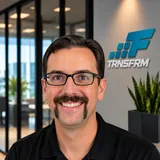
Bill Reed, Lead CISO.
Carnegie Mellon, DoD red team, CERT.

Russ Taylor, Director of Operations.
More than 16 years in IT operations.
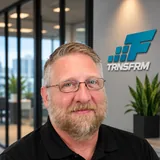
Andy Mason, Senior Solutions Architect.
More than 30 years across IT engineering and construction, including secure IoT, cloud infrastructure and industrial networks.
Backed by our US-based W-2 engineering team. We support manufacturers nationwide.
What clients say
"Even when tackling tough problems, they deliver on time, in budget, and with a smile. Jeff and his team have been fantastic to work with."
5.0 from 177 Google reviews
Frequently asked questions
Find out where your plant stands.
45 minutes with a senior engineer, a written one-page snapshot, and a clear list of what to fix first. No SDR. No slide deck.
or call (877) 777-6855